
SWOT Chart
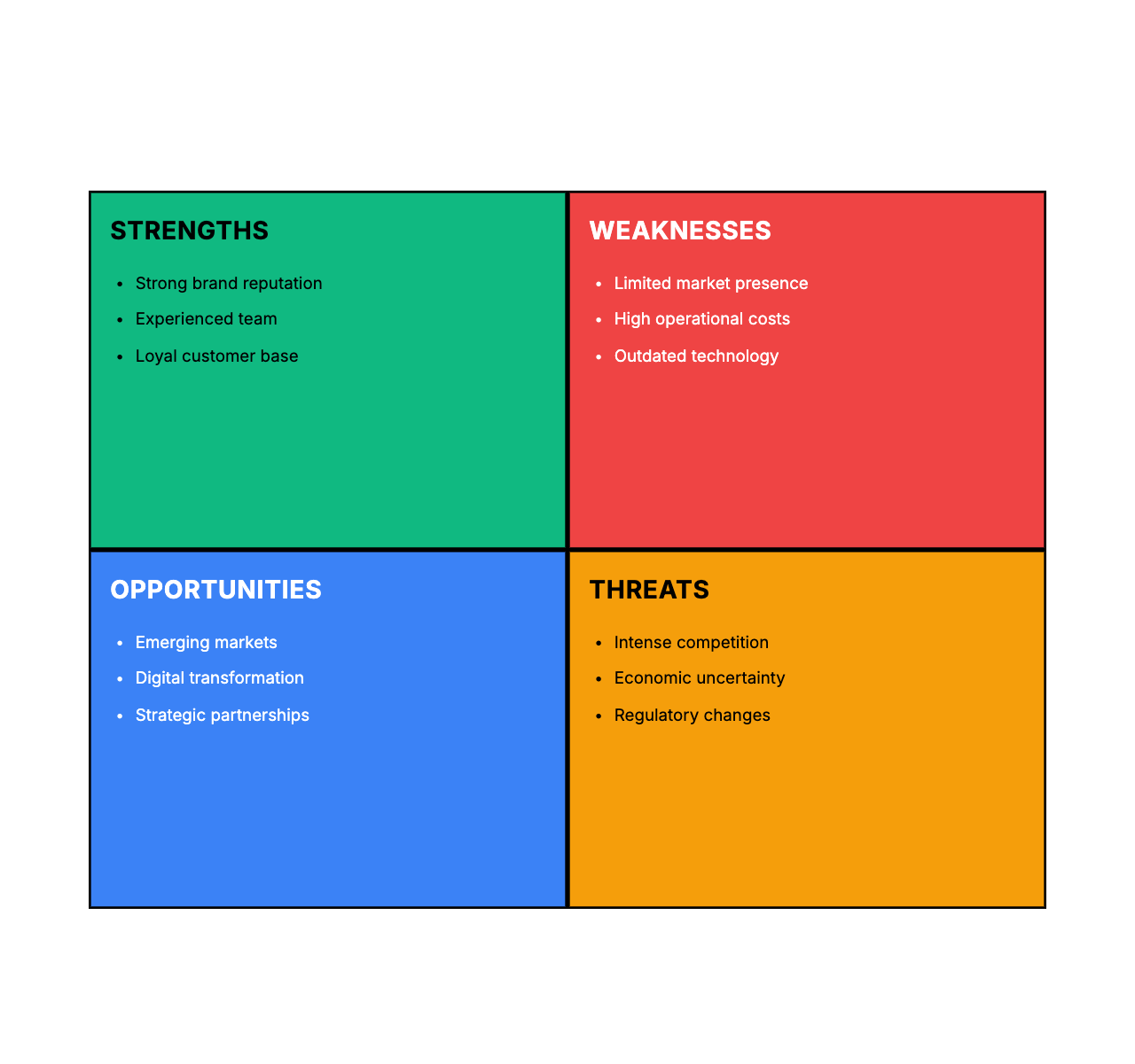
A SWOT chart is a 2×2 strategic canvas that organizes an evaluation into four quadrants: Strengths, Weaknesses, Opportunities, and Threats. It separates internal factors you control from external market forces you face, turning scattered team notes into a clear single-page snapshot for business plans, competitive reviews, and project kickoffs.
Free Online SWOT Chart Maker
What is a SWOT Chart?
A SWOT chart is a 2×2 strategic canvas that organizes an evaluation into four quadrants: Strengths, Weaknesses, Opportunities, and Threats. It separates internal factors you control from external market forces you face, turning scattered team notes into a clear single-page snapshot for business plans, competitive reviews, and project kickoffs.
Classic 2×2 Quadrant Grid
Arranges Strengths, Weaknesses, Opportunities, and Threats in a balanced four-quadrant layout that clearly separates internal and external factors.
Independent Quadrant Colors
Customize colors for each quadrant individually so readers distinguish categories and focal points immediately.
Item-by-Item Panel Editing
Add, edit, reorder, or delete individual bullet points inside each quadrant without manually resizing or aligning text boxes.
S/W/O/T Label Controls
Show or hide quadrant letter badges and subtitles to switch between formal executive reports and minimal slide layouts.
Border & Typography Styling
Fine-tune font size, solid, dashed, or dotted border styles, stroke width, and cell padding to match your brand deck.
PNG, SVG Export & Sharing
Download sharp PNG or vector SVG assets for slide decks and documents, or share via read-only links and iframe embeds.
Best For
- Entering a one-sentence business summary so AI drafts a structured SWOT you can refine bullet by bullet
- Annual business strategy reviews and quarterly planning sessions
- Competitive and market-entry feasibility checks before launching new lines
- Startup pitch decks, business plans, and investor memos
- Career transition planning and promotion readiness self-assessments
- Project kickoff risk reviews and team readiness checks
- Live marketing and product workshops needing a shared visual canvas
When to Use
- Before a major strategic decision, company pivot, or new product investment
- When evaluating a new distribution channel, partnership, or regional expansion
- At project kickoff to align the team on internal gaps and external risks early
- When briefing executives or investors on competitive positioning in one view
- When turning scattered team pros-and-cons notes into a structured one-page summary
- When comparing your product capabilities and market exposure against a direct rival
Common Mistakes
- Overloading quadrants with long lists—cap each quadrant at 3–5 focused points so priorities stay visible
- Mixing internal and external factors—Strengths and Weaknesses reflect your team, product, or capital; Opportunities and Threats come from the market or competitors
- Writing generic phrases like 'strong team' instead of concrete facts like '6 engineers with production ML experience'
- Leaving bullets unranked—put the highest-impact items at the top of each quadrant
- Stopping at lists without cross-analysis—real decisions come from pairing Strengths with Opportunities or guarding Weaknesses against Threats
- Treating SWOT as a one-time exercise—revisit and update the canvas after major market shifts or product milestones
AI tools
AI tools
Describe the job and let a purpose-built generator draft the chart for you.
Make a SWOT Fast
Create a polished SWOT in minutes. Use our free SWOT analysis tool online to auto‑generate with AI, customize labels, colors, borders, and bullets, then export or embed. No sign‑up.SWOT ChartSWOT Analysis Maker
Create a clear SWOT analysis in minutes. Map strengths, weaknesses, opportunities, and threats with our free AI-powered SWOT maker. No signup needed.SWOT ChartSWOT Analysis Generator
Create professional SWOT analysis diagrams in seconds. Map Strengths, Weaknesses, Opportunities, and Threats with AI — free, no sign-up required.SWOT ChartSWOT Chart Maker
Create a professional SWOT chart in minutes. AI maps your strengths, weaknesses, opportunities, and threats automatically — then export or share instantly.SWOT ChartAI SWOT Analysis Generator
Generate a professional SWOT analysis in seconds with our free AI SWOT generator. Map strengths, weaknesses, opportunities, and threats instantly.SWOT ChartCompetitive SWOT Maker
Build a competitive SWOT analysis in minutes. Map strengths, weaknesses, opportunities, and threats with our free AI-powered SWOT maker. No sign-up needed.Templates
Templates
Start from a finished example with sample data, then swap in your own.
GTM SWOT Chart: SEO vs SEM Trade‑offs at a Glance
Compare SEO vs SEM for GTM with a clear SWOT. Spot strengths, risks, and quick wins to allocate budget and launch confidently—in minutes.SWOT ChartSWOT Analysis Template — Plan Smarter, Act Faster
Build a clear SWOT analysis in minutes. Free template for visualizing strengths, weaknesses, opportunities, and threats — no design skills needed.SWOT ChartPersonal SWOT Analysis Template
Map your strengths, weaknesses, opportunities, and threats with a free personal SWOT analysis template. Gain clarity and plan your next career move.SWOT ChartFree Blank SWOT Analysis Template
Start strategic planning with a free blank SWOT analysis template. Map strengths, weaknesses, opportunities, and threats in minutes. No design skills needed.SWOT ChartBusiness SWOT Analysis Template
Free business SWOT analysis template with strengths, weaknesses, opportunities, and threats. Visualize your strategic position instantly online.SWOT ChartMarketing SWOT Analysis Template
Free marketing SWOT analysis template. Map your brand strengths, weaknesses, opportunities, and threats to build a sharper marketing strategy today.Get started
Create Your SWOT Chart with AI
Describe your company, product, or strategic decision in a sentence to generate a complete 2×2 SWOT chart ready for editing.
Free to start, no sign-up required